Trace inspections
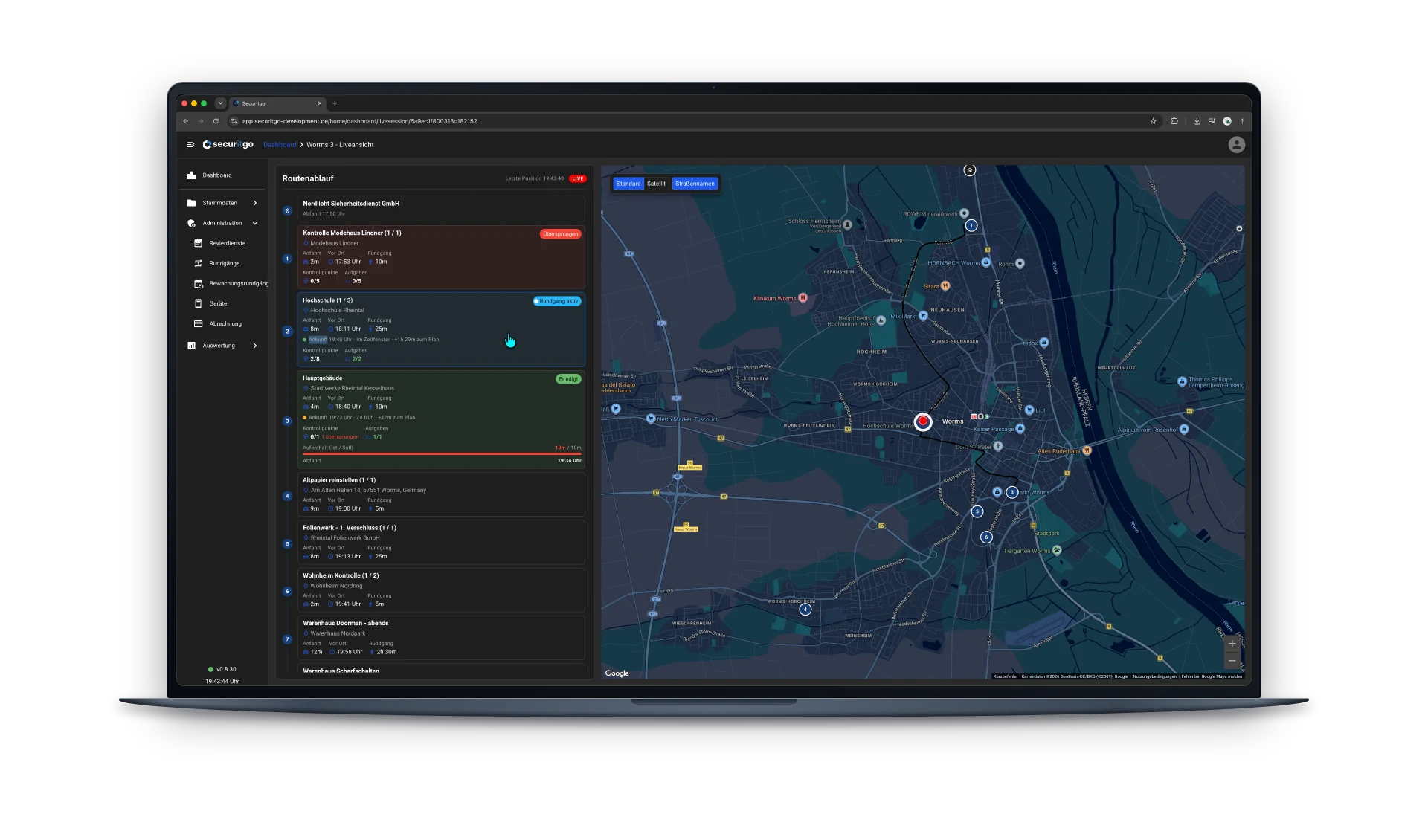
The app shows tasks and checkpoint status. In the control room, active, completed and skipped stations are visible. Checkpoint and task counters give an overview of the progress for each site.
 Book a demo
Guard tour documentation
The digital logbook is part of the SecuritGo guard tour system. Security staff document patrols, times and incidents right on site. Notes and photos capture anything unusual; the control room keeps track of the course of operations.
In the field
Which stations were checked? When was the security officer at the site? Was anything unusual noticed? The digital logbook supports day-to-day operations documentation with SecuritGo: patrols, events and working hours are recorded directly on the job. Together with station status, arrival times and time on site, this creates a traceable overview of the workflow.
The app shows tasks and checkpoint status. In the control room, active, completed and skipped stations are visible. Checkpoint and task counters give an overview of the progress for each site.
In the event of an incident, the security officer selects an incident type and adds a note and a photo. This captures what was noticed on site without having to rely on memory later.
Arrival times and time on site help trace the course of an operation. Together with the documented patrols and working hours, this provides a basis for follow-up questions and internal analysis.
Designed for real-world use
A possible scenario: while inspecting a site, a security officer discovers a damaged door. In addition to the proof of inspection, the observation needs to be recorded for further handling.
Frequently asked questions
SecuritGo records patrols, events and working hours. For incidents, the incident type, a note and a photo can be added. The route sequence complements the overview with station status and times.
With SecuritGo, the digital logbook is part of the guard tour system. Guard tours cover checkpoints, patrols and tasks. The integrated logbook contains the related documentation with times, incidents, notes and photos.
Inspections and incidents can be recorded right on site in the mobile app. Whether your contract requires any additional follow-up depends on your internal processes and the agreements with your clients.
Yes. In the live view, active, completed and skipped stations are marked. In addition, there are checkpoint and task counters as well as information on arrival times and time on site.
Bring the information you need and an existing report template to the demo. Together we'll check how recording and analysis cover your requirements and which reporting logic you need.
See how your team documents patrols, times and incidents in the SecuritGo guard tour system – from mobile recording to the overview in the control room.
Request a personal demo