Connect sites and time requirements
Route optimization takes the requirements of your operations into account. Instead of simply lining up addresses, priorities and time windows are factored into planning along with shift times.
 Book a demo
Dispatch & mobile patrols
Multiple sites, fixed time windows and a hard end of shift: in mobile patrol services, a route has to take more into account than the distance between two addresses. SecuritGo connects operations planning with navigation and the current progress of your mobile teams.
In the field
When planning routes for a security company, the tasks at the individual sites matter just as much as the roads between them. A patrol takes time; some stations must be reached within a specific time window. SecuritGo brings together locations, priorities, time windows and shift times. The goal is a workflow that dispatch can plan and the security officer can follow during the shift.
Route optimization takes the requirements of your operations into account. Instead of simply lining up addresses, priorities and time windows are factored into planning along with shift times.
Alarm responses and unforeseen events can change a planned sequence. Dynamic route adjustments support dispatch in these situations. In the event of a breakdown or absence, routes can be handed over to other staff.
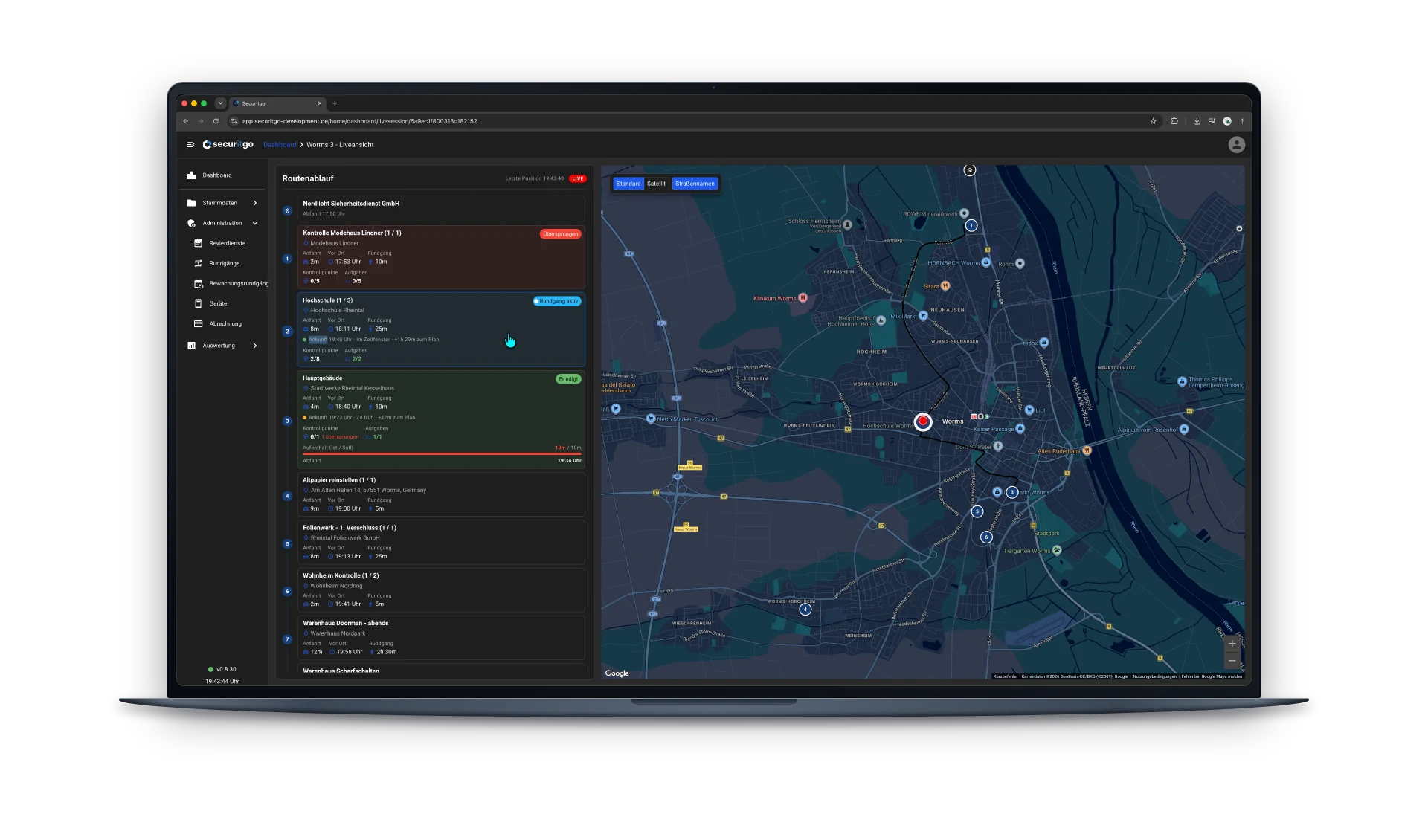
The live view displays the route sequence next to the map. Arrival times, deviations from the plan and the actual time on site compared to the target help the control room assess how the operation is going.
Designed for real-world use
A possible scenario: a mobile team inspects several commercial sites during one shift. Some patrols are time-bound, others can be scheduled more flexibly.
Frequently asked questions
Navigation takes you to a destination. Operations planning also has to fit together multiple sites, priorities, time windows and shift times. SecuritGo connects this planning with the inspections at each site.
Yes. The live view shows the route sequence, inspection progress and the last reported position on the map. How up to date this information is also depends on the connection and data transmission of the mobile devices.
Routes can be handed over to other staff. We can walk through which handover suits your business in a demo, based on your shifts, vehicles and available teams.
A typical patrol plan with sites, time windows, approximate inspection times and shift times provides a good basis for discussion. Add to that the number of teams deployed and typical changes during the shift.
Show us a typical shift. We'll discuss how route planning, mobile inspections and the control room can work together in your business.
Request a demo